Shinobi (Sega System 16B) for Amiga
A downloadable game
# Shinobi (Sega System 16B) for Amiga
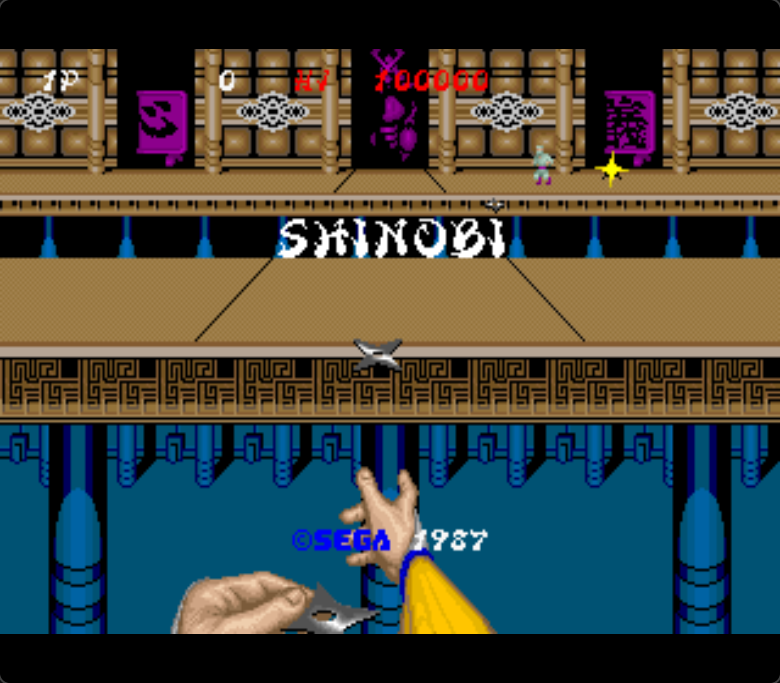
Sega's 1987 arcade classic running natively on your Amiga: the original 68000
game code executed on your machine, the original System 16B video model, and
the arcade soundtrack rendered from your own ROMs through Paula.
## What's in the bundle
| File | What it is |
|---|---|
| `Shinobi` | AGA executable real A1200/A4000, Amiberry AGA configs |
| `ShinobiRTG` | RTG/Picasso96 executable Pimiga and other RTG-first setups |
| `BuildPack` | One-time tool that renders the soundtrack from your ROMs |
| `Shinobi.info` | Workbench icon |
| `docs/ROM_FILES.txt` | Exact ROM filenames with SHA-256 checksums |
| `roms/shinobi6/` | Empty you fill this with your own ROM files |
| `README.md` | The bundle's own readme |
**No ROMs and no ROM-derived data are included.** You must own the game's
arcade ROMs.
## Requirements
- AGA Amiga (A1200/A4000 class) with a **68040-level CPU** and **64 MB fast
RAM** Amiberry, PiStorm and emulator setups qualify; a stock A1200 does
not.
- Kickstart 3.0+.
- The Shinobi arcade ROMs (merged MAME `shinobi.zip` set) **not included**.
- Best experienced at 60 Hz (NTSC-capable display or emulator).
## Install
1. **Extract the bundle** into a drawer on any Amiga drive (or mount the
folder as a directory in your emulator).
2. **Supply your ROMs.** From your legally obtained merged MAME
`shinobi.zip`, copy these files into `roms/shinobi6/` next to the
executable flattened, by filename, regardless of the zip's internal
subfolders (they come from its `shinobi6` and `shinobi4` member paths;
full list with checksums in `docs/ROM_FILES.txt`):
```
epr-11359.a5 epr-11360.a7 epr-11361.a10 mpr-11362.a11 mpr-11363.a14
mpr-11364.a15 mpr-11365.a16 mpr-11366.b1 mpr-11367.b2 mpr-11368.b5
mpr-11369.b6
```
3. **Run `BuildPack` once** (Shell or Workbench). It renders the entire
soundtrack from YOUR ROMs the same Z80 + YM2151 + uPD7759 sound board
the arcade ran and writes `shinobi.pcm` next to the game. Takes several
minutes; it never needs to run again.
4. **Run the right executable** for your system:
- `Shinobi` AGA machines and emulators showing native screens.
- `ShinobiRTG` RTG/Picasso96 environments where native screens are not
shown (Pimiga and similar).
## Controls
**Joystick / CD32 pad (port 2)**
- Move: stick / d-pad
- Red = attack, Blue/Yellow = jump, Green = magic (ninjutsu)
- L or R shoulder = insert coin, Play = start
- L + R + Play = DIP switch menu; hold the combo ~2 seconds to quit
**Keyboard**
- `5` = insert coin, `1` = start (standard MAME-style keys)
- `F10` = DIP switch editor (difficulty, lives, demo sounds and more)
- `F5` = save state, `F6` = load/resume state
- `ESC` = quit
## Troubleshooting
- **"missing Shinobi ROM assets" at startup** the ROM files are absent or
in the wrong place. Extract from the merged `shinobi.zip` so that
`roms/shinobi6/` contains exactly the files listed in
`docs/ROM_FILES.txt`. The loader verifies each file's checksum at startup
and reports any mismatch on screen.
- **Game is silent** you'll see "No sound pack (shinobi.pcm) found.
Continuing without sound." Run `BuildPack` once to render the soundtrack
from your ROMs, then restart. If sound ever misbehaves, delete
`shinobi.pcm` and re-run `BuildPack` to regenerate it.
- **Very slow or won't run** this port needs a 68040-class CPU and 64 MB
fast RAM. A stock A1200 (68020, no fast RAM) is not enough; PiStorm,
accelerated machines and emulators are.
- **Black/no screen on Pimiga or other RTG systems** you ran the AGA
build. Use `ShinobiRTG` on RTG/Picasso96 environments.
Purchase
In order to download this game you must purchase it at or above the minimum price of $1 USD. You will get access to the following files:
Development log
- Donation Only22 days ago
Leave a comment
Log in with itch.io to leave a comment.